
In this guide
What changes between the layouts?
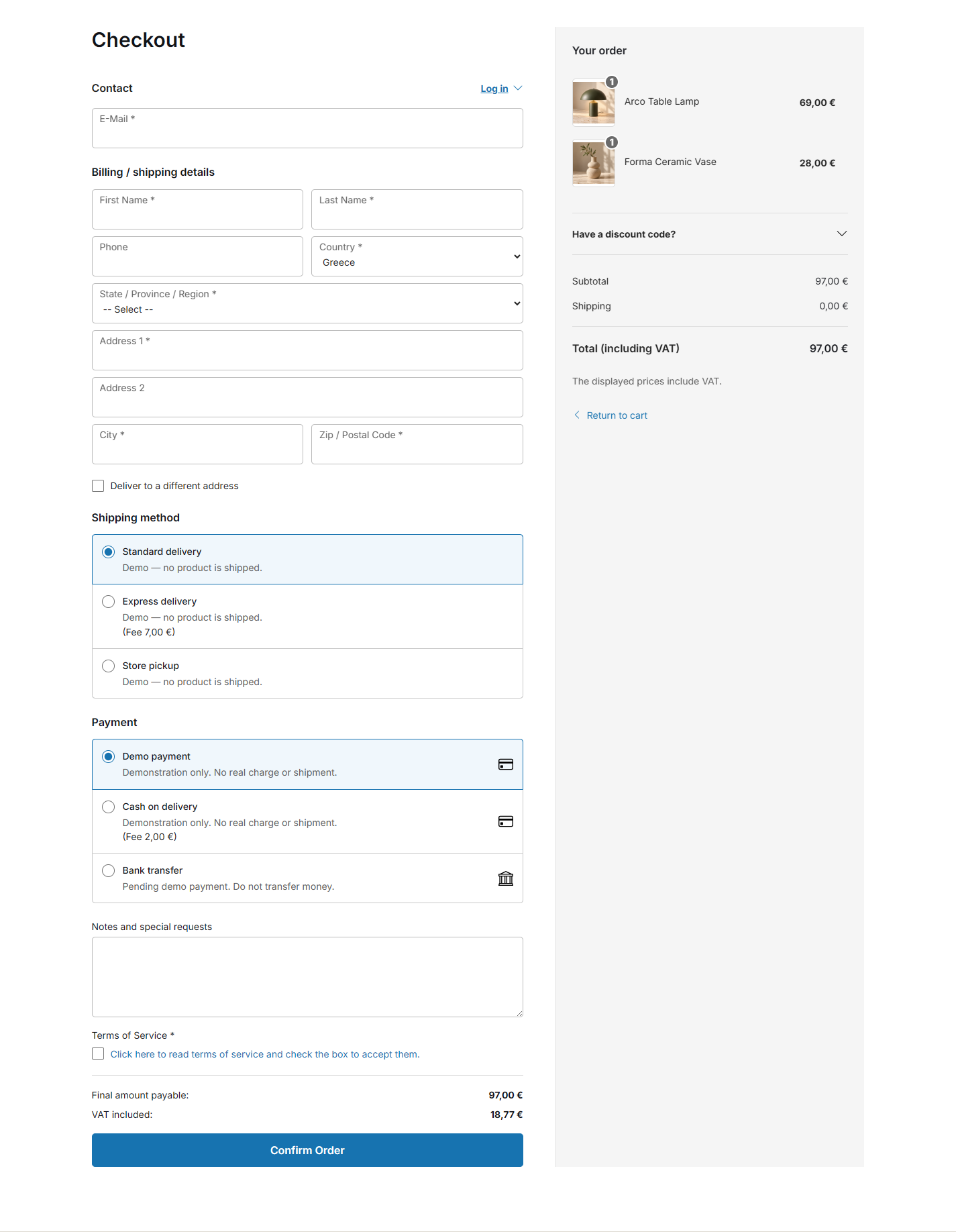
In One Page Checkout for VirtueMart, customer details, delivery, payment and order review share a continuous page. Customers can see more of the checkout together, although a longer form also means more scrolling.
In Multistep Checkout for VirtueMart, the journey is organized into focused stages with a final review before confirmation. Each stage presents a smaller part of the task, while navigation gives the customer a sequence to follow.
With Premium Checkout Suite, both layouts are included in the same license. The choice changes the presentation and guided customer flow. VirtueMart continues to calculate prices, tax and method eligibility and to create the order.
Compare the experience, not just the step count
| Consideration | One Page | Multistep |
|---|---|---|
| Information shown | Several checkout areas in one continuous view. | A focused part of the journey at a time. |
| Reviewing choices | Scroll between the visible checkout areas. | Use the journey’s navigation and final review. |
| Potential fit | A compact form and familiar delivery/payment choices. | More information or customers who benefit from guidance. |
| Mobile question | Is the continuous page readable and manageable? | Are the stages, errors and progress easy to follow? |
| Native authority | VirtueMart remains responsible for cart, prices, tax, methods and order creation. | |
These are selection criteria, not promises that one layout will outperform the other.
Example: a store with a compact checkout
Consider a store with a small set of necessary customer fields and a limited choice of familiar delivery and payment methods. A continuous view can make it easy to inspect the information and the total together.
Start with One Page when that matches the store’s actual form. On a phone, check the order of fields, the length of the page and whether the customer understands which information is required. A short desktop form can still feel long if it asks for irrelevant information on mobile.
Keep guest checkout available where appropriate and configured. Read the VirtueMart guest checkout guide for the related settings and common sources of friction.
Example: a store with retail and B2B requirements
A store serving different customer types may need company details, alternative delivery information or different field requirements. A guided sequence can help customers concentrate on the current task.
Start by deciding which details each customer actually needs to provide. Then use supported conditional-field rules instead of adding every possible field to every customer’s form. Multistep can organize the resulting journey, but it is not a substitute for a relevant field set.
See conditional checkout fields for B2B and retail customers for an example that keeps presentation separate from shopper-group authorization and tax rules.
Choose and configure a layout
- List the required information.Separate genuine order requirements from information that is merely convenient to collect.
- Check the supported environment.Use the current product compatibility boundary before installing an extension.
- Select the layout.In Components → Premium Checkout Suite → Settings → General, choose One Page or Multistep under Layout.
- Review the complete customer flow.Include the optional Cart stage, guest and signed-in states, delivery choices and final review.
Use the checkout layouts documentation for configuration details. Validate an operational change in a private test environment before applying it to a live store.
Measure a real change in your own store
Compare checkout starts and verified completions for comparable periods and customer groups. Keep mobile and desktop results separate where the sample permits it. Record other changes, such as a new shipping fee or payment provider, that could explain a difference.
For online payments, a click on Confirm Order is not the same as a verified successful payment. Premium Checkout Suite’s optional Umami completion event follows its documented eligibility, consent and payment-completion conditions. It does not provide revenue or product reporting.
A small sample cannot establish a reliable conversion improvement. Use observed errors, customer questions and the actual flow alongside the numbers. Explore Premium Checkout Suite and compare both layouts in the live demo before choosing.