What the bar does
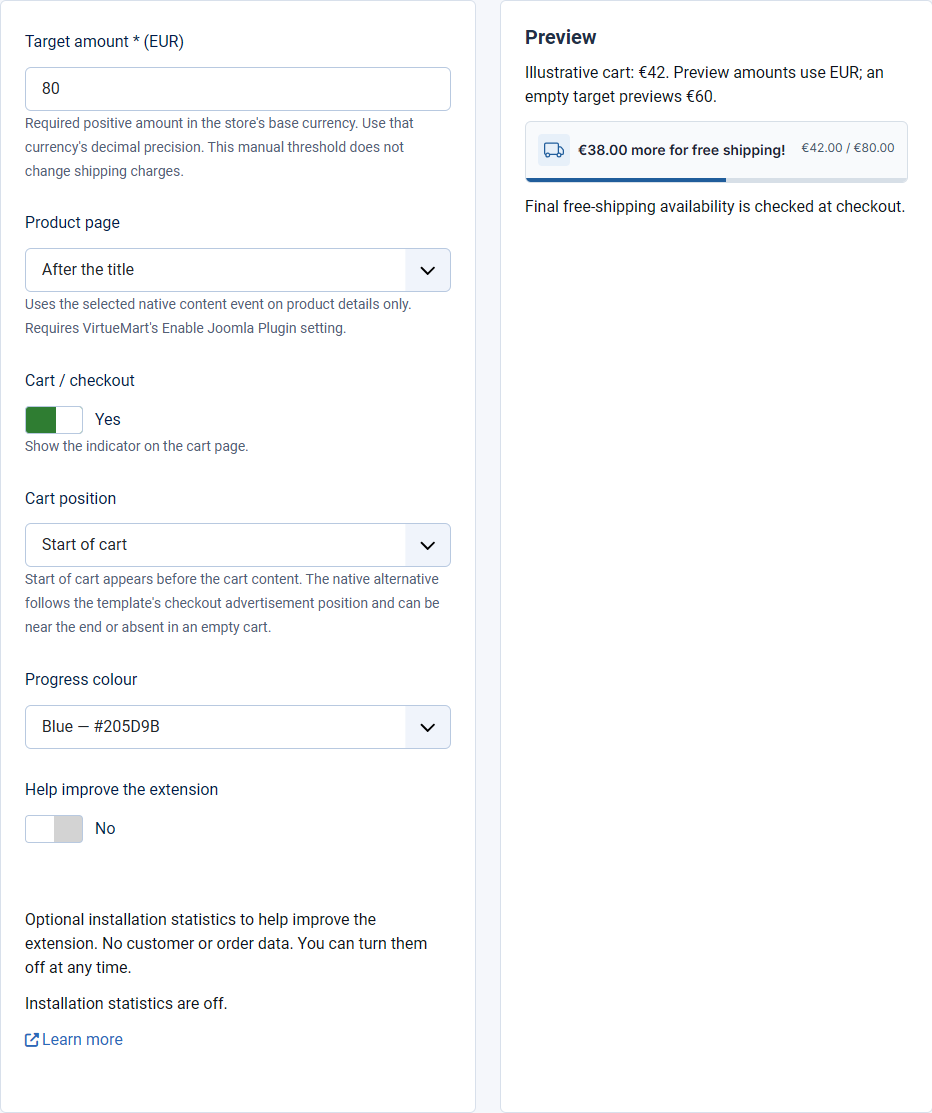
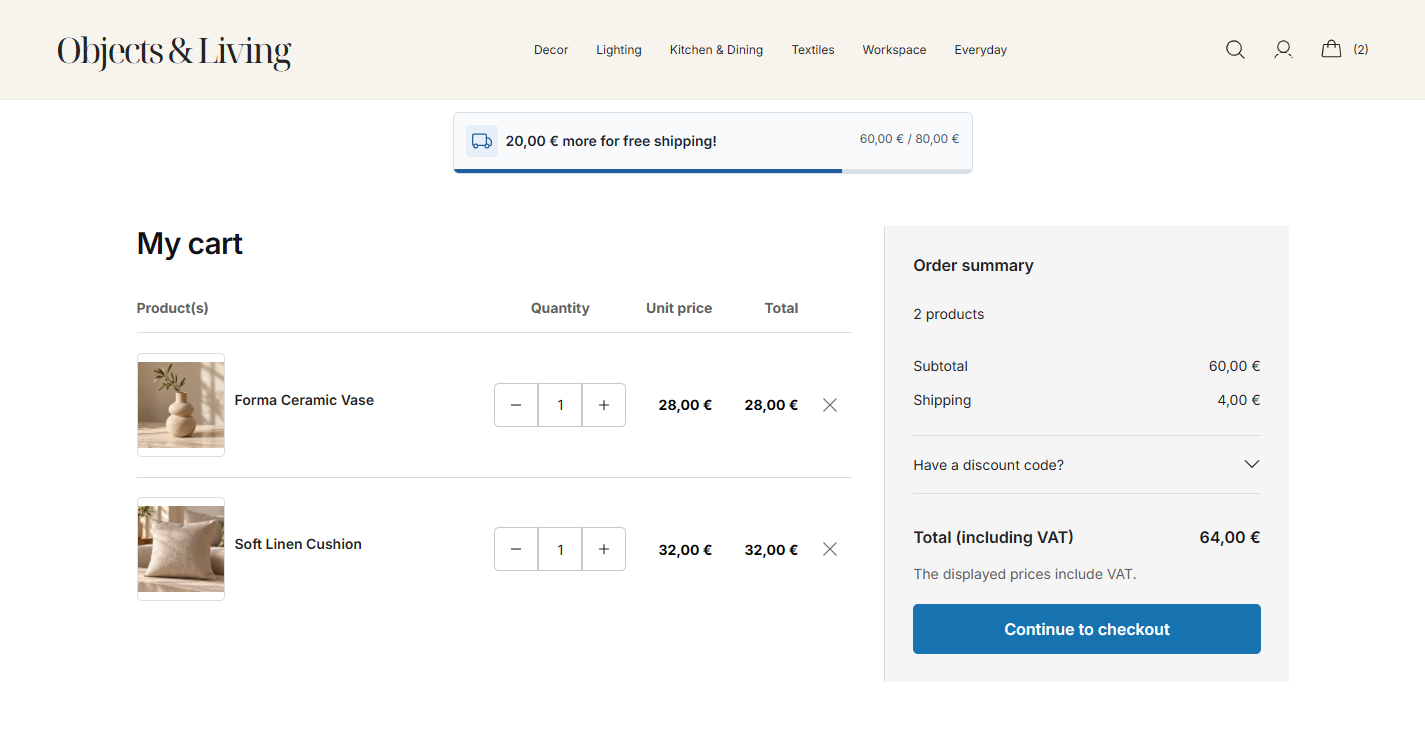
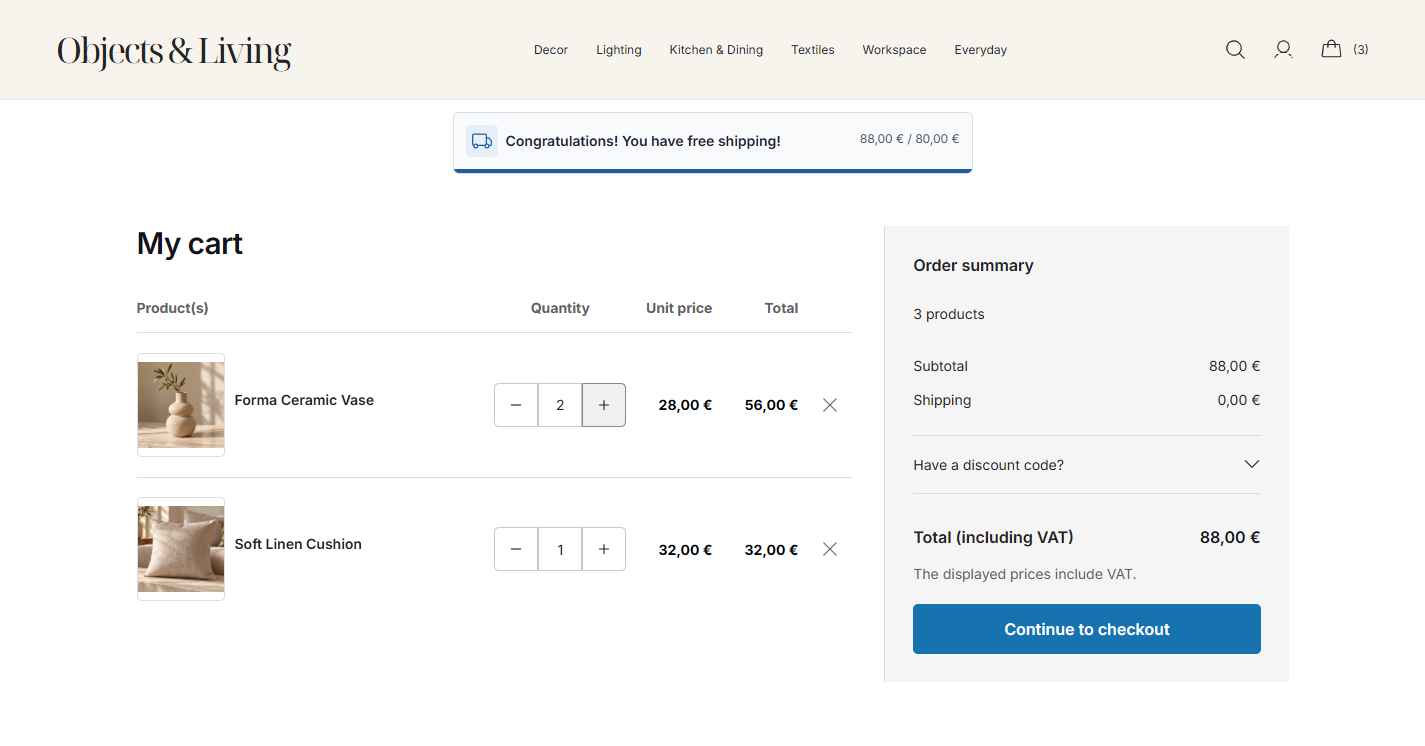
Free Shipping Bar shows shoppers how close their cart is to a free-shipping target. It can appear on product pages and in the cart. Customers see the amount still to add, a progress bar and a success message when they reach the target.
Set your shipping rules separately
The bar is a message, not a shipping method. It does not create free shipping or change shipping charges. Configure the actual free-shipping rules in VirtueMart, then use a matching target here. Final shipping availability is checked at checkout.
Before you install
- Joomla 4 or Joomla 5.
- VirtueMart 4, with your store and base currency configured.
- PHP 8.1 or later.
- Access to the Joomla administrator area to install and configure plugins.
This guide covers version 1.0.0. The plugin includes English and Greek translations. Version 1.0.0 does not support multi-vendor or multiple-cart setups.
Install and enable
- Download Free Shipping Bar.
- In Joomla, open System → Install → Extensions.
- Choose Upload Package File.
- Upload the downloaded ZIP file without extracting it.
- After the installation succeeds, open System → Manage → Plugins.
- Search for Free Shipping Bar for VirtueMart.
- Open the plugin.
- Enter your Target amount. The next chapter explains how to choose it.
- Set the plugin status to Enabled.
- Select Save.
Expected result: Joomla confirms the settings were saved. You can now choose where the bar appears.